
Building a new course from scratch can take considerable time — especially when your institution already has a course structure that works well.
Previously, only course administrators could copy courses. This meant educators and other institution staff could be blocked from reusing existing course structures, creating unnecessary bottlenecks in course development.
Find out how this has changed below...
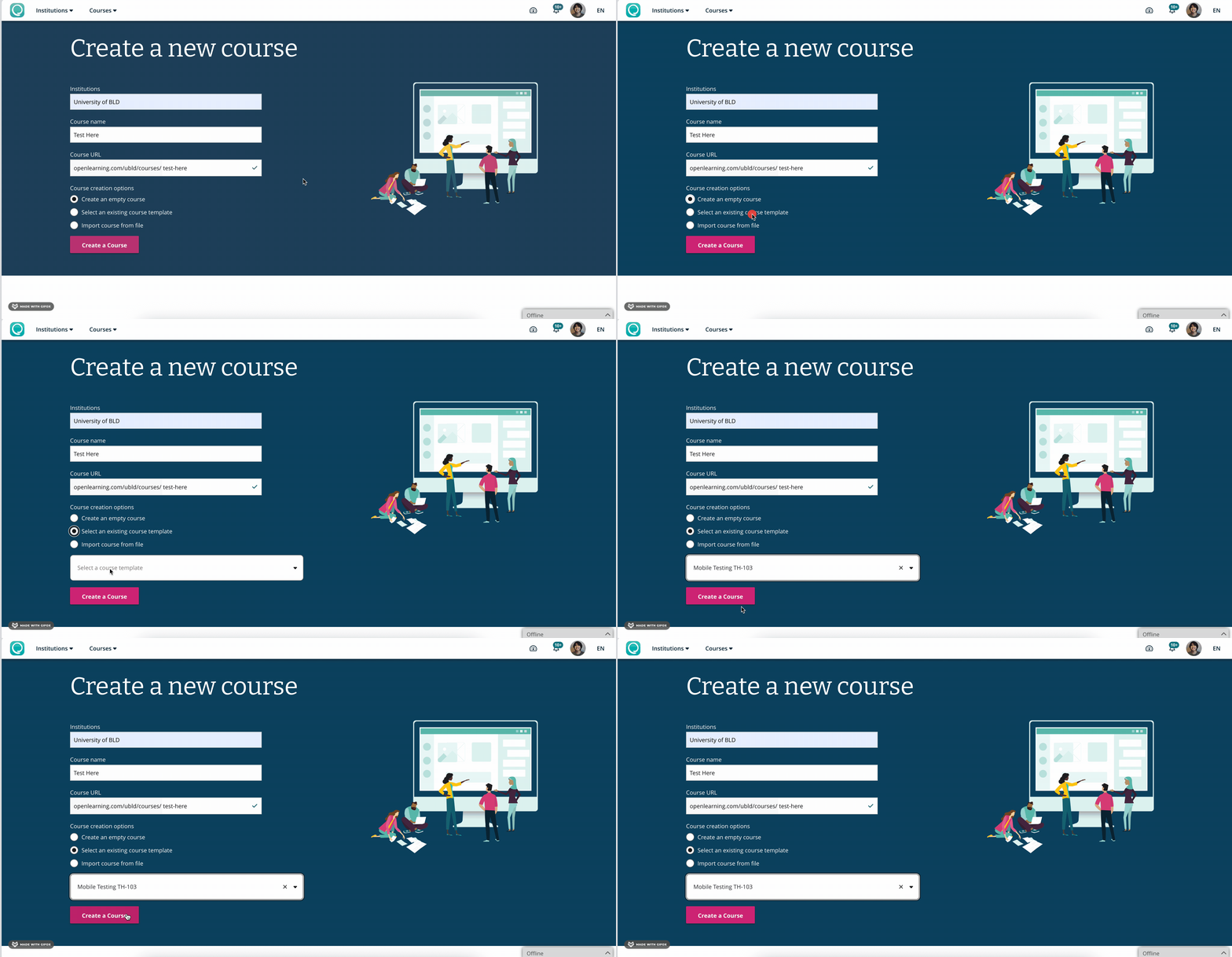
Course teams can now turn an existing course into a reusable course template. This creates a more flexible way for institutions to scale course development while maintaining a reusable starting point.
Once a course administrator enables a course as a template, educators and institution staff can use that template when creating a new course — without needing course admin permissions to copy the original course themselves.
Go to: Course > Course Setup > General > Course Template
Then select: Allow this course to be used as a template
When creating a new course: Create a Course > Select Institution > Select an Existing Course Template
Then choose the template you want to use.
For more information, read this help article: How Do I Copy A Course?
Templates allow institutions to preserve useful course structures, learning design patterns and other reusable elements while giving educators a starting point for new courses.
This can help teams:
Importantly, templates provide a starting point. Educators can still adapt the resulting course to suit its learners, subject matter and learning outcomes.
New here? Book a demo and discover how our AI-powered LMS can transform your online learning experience!


